Notesgoogle-ads-mcp
How I built a Google Ads MCP without writing the code
I'm a marketer, not a software engineer. Here's how I used agentic tools to turn the Google Ads API into a reporting system I use every Monday.
 · Jul 2026 ·
My first MCP wasn't for Google Ads. It was for Drip.
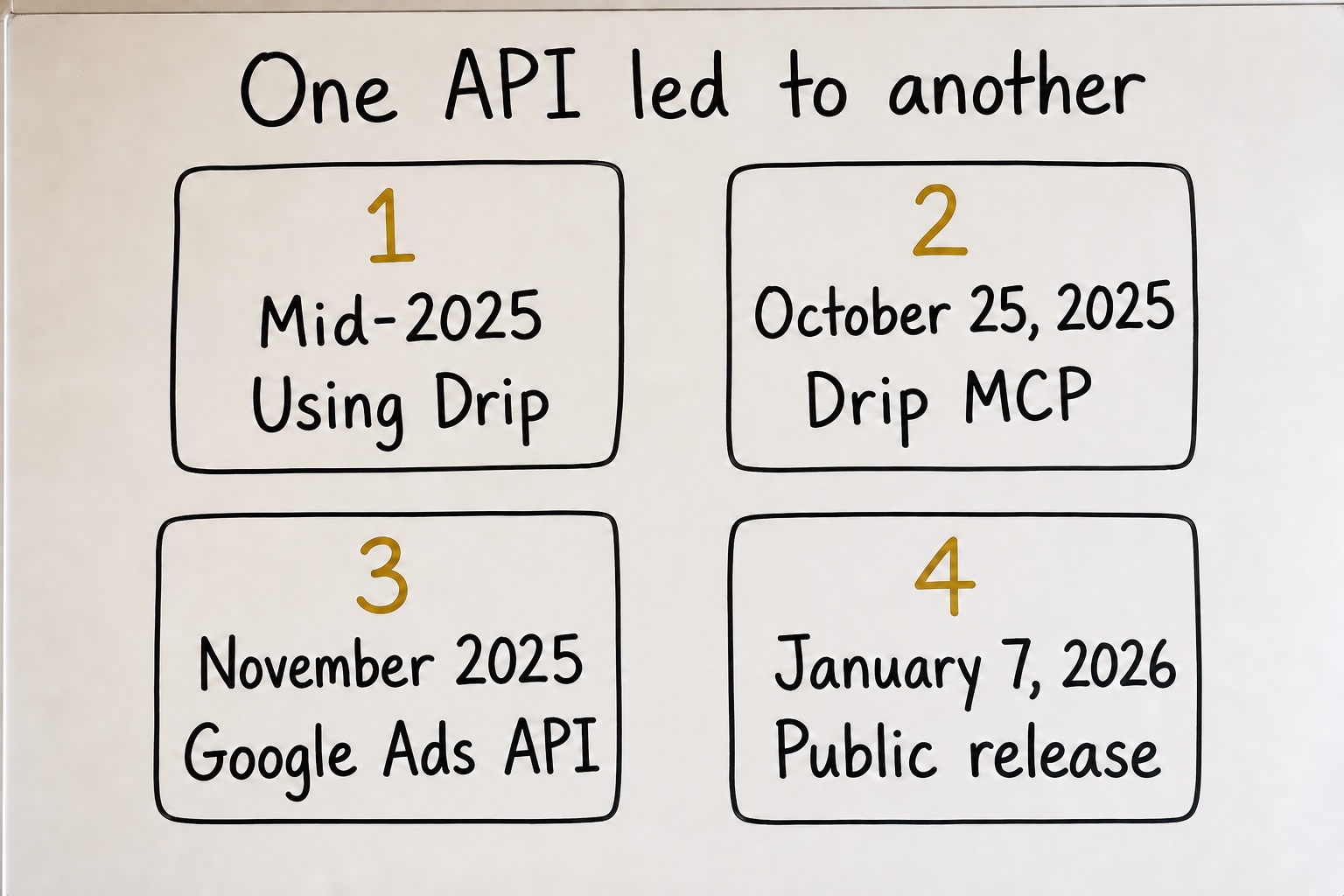
I was using Drip for email at my own business in the middle of 2025, right as agentic coding tools started becoming useful. I knew Drip had an API. I had also started to understand the useful part of an MCP. It gives an agent a way to use an API.
That was about as technical as my understanding went.
I don't know how to write the code underneath an MCP server. I still don't. What I could do was describe what I wanted, point a coding agent at the API docs, test what came back, and keep shaping it until the thing worked.
Drip had an API. Why couldn't I build an MCP for it?
So I did.
Drip showed me what was possible
The first version had 18 named actions. Add a subscriber. Apply a tag. Start a workflow. Pull a campaign. Familiar things I was already doing inside an email platform.
The coding agent wrote the underlying code. I decided what the tool should do and tested whether it did it.
Then I started a new job in November and came across the Google Ads API.
I'd managed Google Ads for years. I understood accounts, campaigns, search terms, budgets, ads, offers, and the reports I needed to make decisions. The API appeared to reach almost all of it.
I remember looking through the documentation and thinking, I could do basically anything with this.
Not as a developer. As a marketer with a long list of things I never wanted to click through by hand again.
I kept adding commands until there were 13
My first instinct was to give every familiar Google Ads task its own command.
Get campaign performance. Pull search terms. Find wasted spend. Check Quality Score. Track budget pacing. Add negative keywords. Adjust bids. Pause a campaign.
I kept asking the coding agent to add one more until the MCP had 13 separate commands.
Eventually I realized they were all variations of three things.
- Find the accounts available to me with
list_accounts. - Read and report on the data with
query. - Make a change with
mutate.
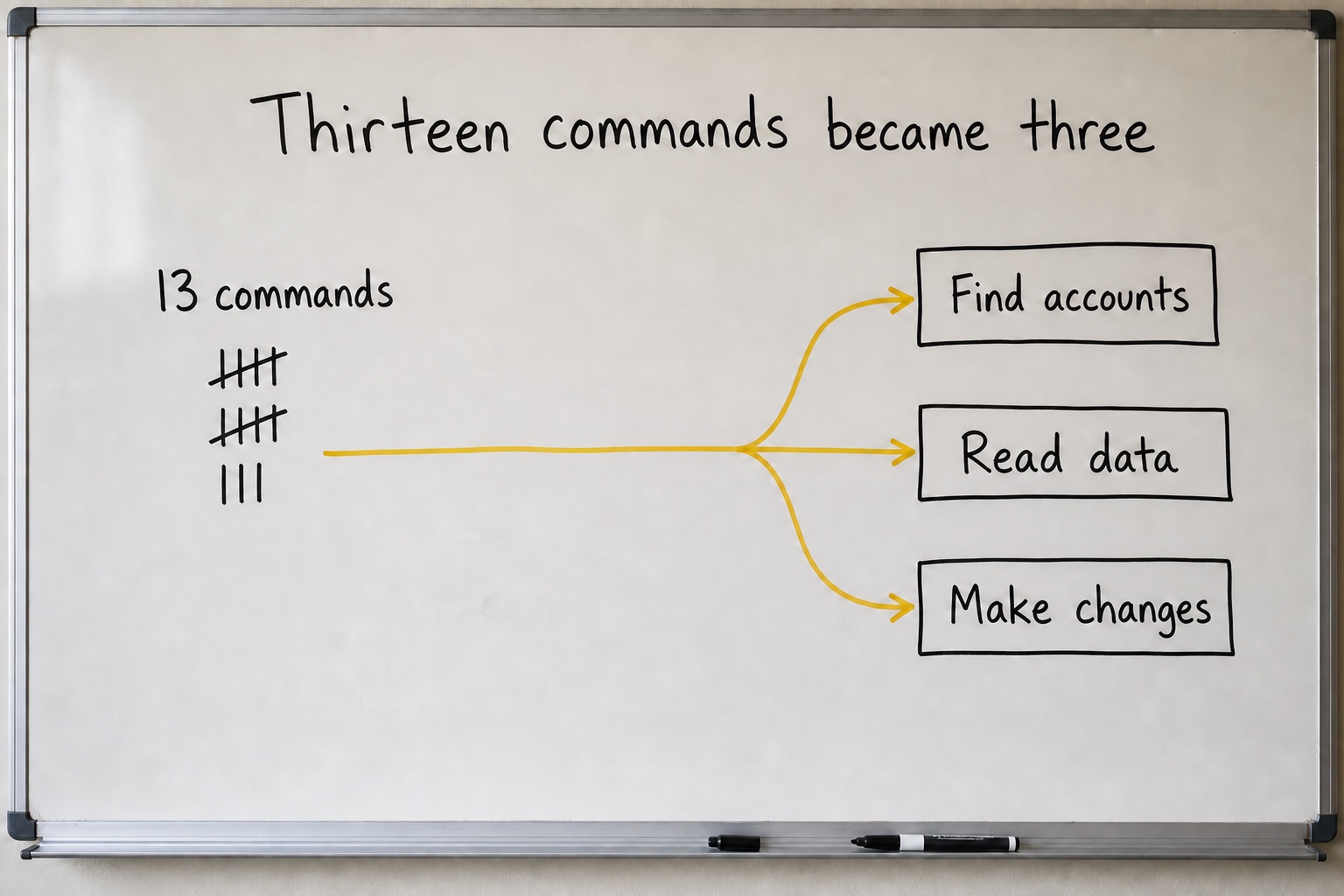
The names aren't the interesting part. The smaller version could still pull search terms, check budgets, find wasted spend, and update campaigns. The agent worked out the right query or change from the job I described.
Thirteen commands became three. The MCP got smaller and could do more.
On January 7, 2026, the first public version shipped as @channel47/google-ads-mcp.
Then I started using it on real accounts.
I didn't need to read the code to know it was wrong
A week after release, I asked the MCP to validate a new ad without publishing it.
The server came back and said no changes were made.
I checked the Google Ads account. The ad was sitting there.
Then I ran what was supposed to be the real version. That created a second one.
The server said no changes were made. Two ads were sitting in the account.
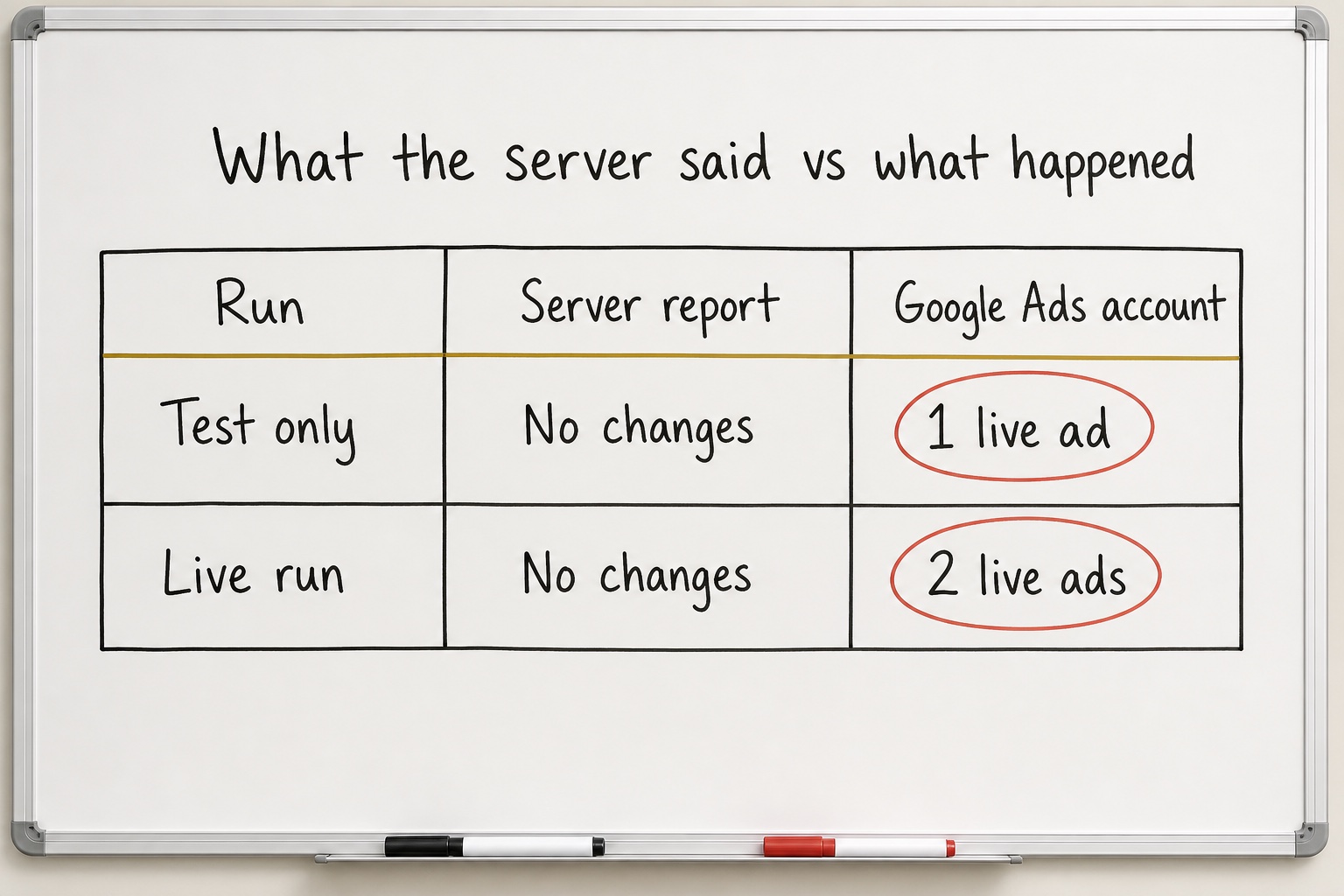
I couldn't have explained which part of the code had failed. I didn't need to. I knew what I'd asked the system to do, and I could see what it had actually done.
I brought it back to the coding agent. It traced the problem to two setting names written in a format the connection to Google Ads ignored. Nothing had crashed. The safety settings simply never reached Google.
The agent fixed the names and added tests.
That's closer to how I build software. I don't sit down and write JavaScript. I describe the job, test the result, and keep pulling the thread when something doesn't behave. The agent handles the code. My job is knowing what correct looks like.
Real ad spend needs a real off switch
A careful prompt isn't a safety system.
Changes now default to a test. Making them live takes a separate, explicit step. The server also has a read-only mode that removes its ability to make changes at all.
Google later released an official Google Ads MCP. Its current version is read-only. It can find accounts and pull reports, but it can't change bids, pause campaigns, or create ads.
That's a reasonable choice. Mine keeps optional write access because I use it for hands-on account work. I also wanted a switch that could make accidental changes impossible.
What I use it for now
Every Monday an agent moves through more than a dozen Google Ads accounts under two manager accounts. It pulls the previous seven days, compares the ad data with our backend CRM, and organizes the report by offer and campaign type.
I don't write the Google Ads query. I don't write the JavaScript underneath it. I ask for the report and judge it like a marketer.
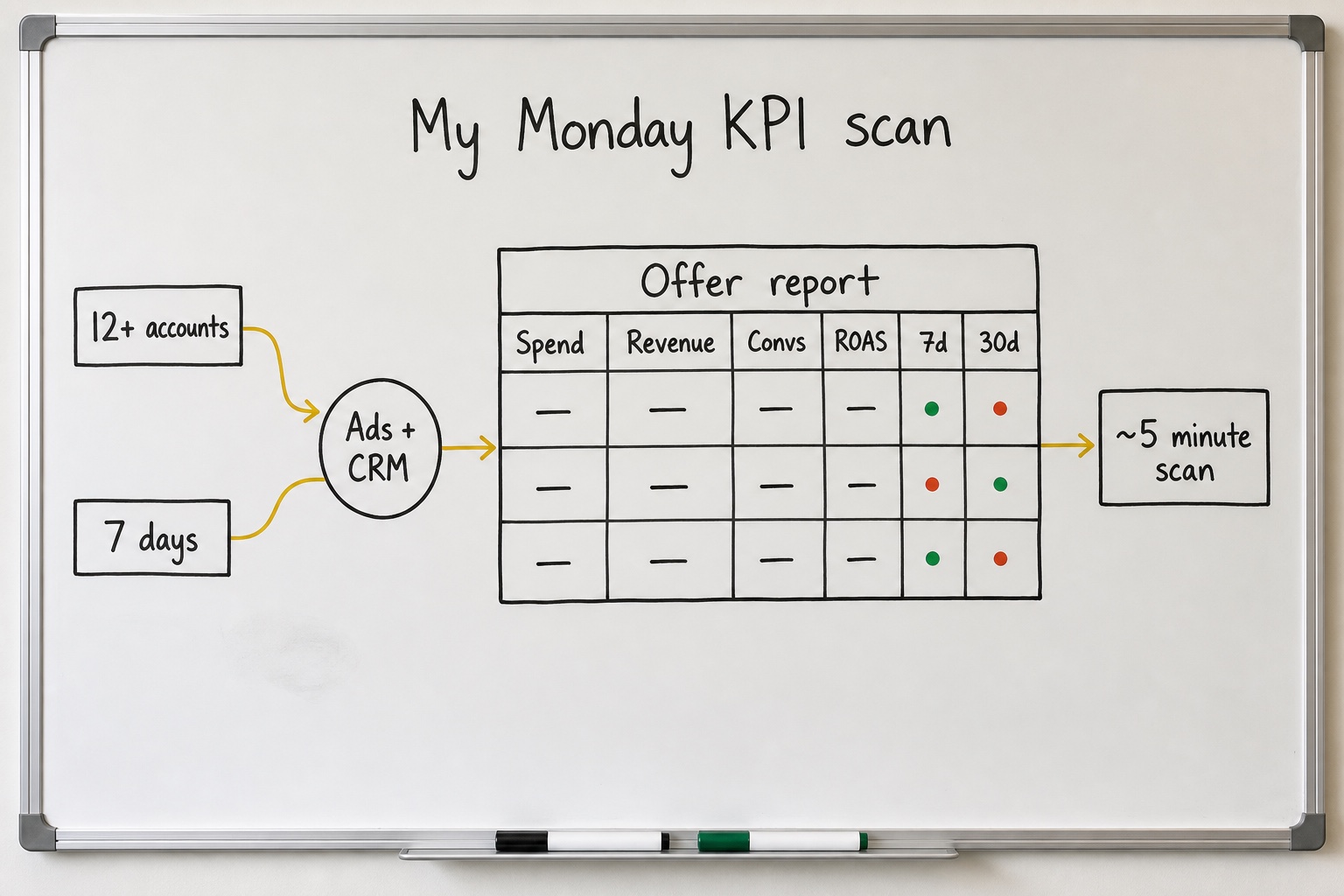
I can see which accounts need attention without opening them one by one.
The open-source server is published as @channel47/google-ads-mcp.
The agent writes the query. I scan the report. Most weeks I never open the dashboards.
Common questions
A Google Ads MCP server is a bridge between an AI agent and the Google Ads API. It gives the agent approved ways to find accounts, pull performance data, and, when allowed, make changes. You describe the outcome in plain language, and the agent handles the request to Google Ads.
No. I'm a marketer who uses agentic tools, not a developer. I describe the report or account task I want, and the agent writes Google Ads' reporting language, called GAQL. I still need enough Google Ads judgment to frame the request and check the result, but I don't work in the underlying code.
In my setup, the agent can find available accounts, read and report on the data Google makes available, and make account changes when write access is enabled. I mainly use it for a weekly KPI report so I can find problems without opening every dashboard.
Not automatically. Safety has to live inside the tool, not only in the prompt. My server checks changes before executing them, requires a separate step to make them live, and can remove write access completely. I added those controls after a supposed test created one real ad and a subsequent live run created a second.
Yes. Google's current server is designed for account discovery and reporting. It can list available accounts, inspect reporting fields, and run Google Ads queries, but it can't change bids, pause campaigns, or create assets. My server keeps optional write access because I built it for hands-on account management.
Want the next build when it ships?
Occasional emails about systems like this one — how they work, and the parts you can reuse in your own work.
Get emails from the workshop →New notes, skills, and connectors as they ship. No spam.